

Description
Microsoft Office 365-2021Mastery
Fast-Track Skills. Job-Ready Confidence. Certificate in Record Time.
If you are searching for a short, powerful, and job-focused Microsoft Office course, then Microsoft Office 365-2021Mastery is designed exactly for you. This is not another long, overwhelming program that drags on for months. Microsoft Office 365-2021Mastery is a compressed, high-impact training that helps you learn faster, finish faster, and earn your certificate faster—so you can move directly toward employment or career advancement.
In today’s job market, employers expect practical Microsoft Office skills, not just theory. Microsoft Office 365-2021Mastery focuses on real-world usage of Excel, PowerPoint, and Word, ensuring you become job-ready in the shortest possible time. Whether you want your first job, a better job, or simply want to upgrade your skills quickly, Microsoft Office 365-2021Mastery gives you a clear advantage.
Unlike traditional courses that take weeks or months, Microsoft Office 365-2021Mastery is intentionally shorter than other similar courses, allowing you to complete it quickly and add a recognized certificate to your CV almost immediately.
Overview: Microsoft Office 365-2021Mastery
Microsoft Office 365-2021Mastery is a fast-track, career-focused training program that teaches the most in-demand Microsoft Office skills used in modern workplaces. The course is structured to remove unnecessary complexity and focus only on what employers actually expect you to know.
This course covers Microsoft Excel, Microsoft PowerPoint, and Microsoft Word in a clear, practical, and time-efficient way. Each module in Microsoft Office 365-2021Mastery is carefully designed to build your skills step by step without wasting your time.
The biggest advantage of Microsoft Office 365-2021Mastery is its short duration. You can complete the course faster than traditional Office programs, earn your certificate quickly, and start applying for jobs sooner. This makes Microsoft Office 365-2021Mastery ideal for students, job seekers, freelancers, and professionals who need results fast.
By the end of Microsoft Office 365-2021Mastery, you will be able to:
-
Work confidently with Excel spreadsheets
-
Create professional PowerPoint presentations
-
Produce polished Word documents
-
Demonstrate job-ready Office skills
-
Showcase a certificate earned in record time
Description: Why Microsoft Office 365-2021Mastery Is Different
Most Microsoft Office courses are long, repetitive, and overloaded with features you will never use. Microsoft Office 365-2021Mastery takes a different approach. It focuses on speed, clarity, and employability.
Shorter Course, Faster Certificate
The biggest selling point of Microsoft Office 365-2021Mastery is that it is shorter than other similar courses. This means:
-
You finish faster
-
You earn your certificate faster
-
You become job-ready faster
If you are under time pressure or want quick results, Microsoft Office 365-2021Mastery is the smart choice.
Designed for Jobs and Real Work
Every lesson in Microsoft Office 365-2021Mastery is aligned with real workplace tasks. You are not just learning buttons—you are learning how to actually use Microsoft Office in an office environment.
Beginner-Friendly and Practical
No prior experience is required. Microsoft Office 365-2021Mastery starts from the basics and moves smoothly toward practical skills. Even complete beginners can finish the course confidently.
Covers Excel, PowerPoint, and Word
Microsoft Office 365-2021Mastery gives you multi-skill value in one short program:
-
Excel for data, formulas, charts, and analysis
-
PowerPoint for presentations and visual communication
-
Word for documents, formatting, mail merge, and productivity
What You Will Learn in Microsoft Office 365-2021Mastery
Strong Foundation and Setup
You begin Microsoft Office 365-2021Mastery with a clear introduction and setup process. You’ll learn how to get started on Windows, macOS, and Linux, making this course flexible for any user.
Excel Skills Employers Demand
A major portion of Microsoft Office 365-2021Mastery focuses on Excel, the most requested Microsoft Office skill in job descriptions.
You will learn:
-
Creating and managing spreadsheets
-
Entering and organizing data
-
Working with rows, columns, and ranges
-
Copying, cutting, pasting, and formulas
-
Page setup and printing
-
Sorting and filtering data
-
Essential formulas and functions
-
VLOOKUP, HLOOKUP, and XLOOKUP
-
Data validation and removing duplicates
-
Importing data from text and CSV files
-
Formatting tables and numbers
-
Pivot tables, pivot charts, and professional charts
These Excel skills alone make Microsoft Office 365-2021Mastery highly valuable for administrative, data, finance, and office roles.
PowerPoint for Professional Presentations
Microsoft Office 365-2021Mastery teaches you how to create professional, modern presentations that impress employers and clients.
You will learn:
-
Creating and managing slides
-
Formatting text and layouts
-
Inserting images, icons, shapes, and 3D models
-
SmartArt and visual diagrams
-
Tables and charts (including Excel charts)
-
Adding audio, video, and screen recordings
-
Transitions and animations
-
Presentation delivery and slide management
These PowerPoint skills are essential for meetings, reports, sales pitches, and corporate communication.
Word Skills for Daily Office Tasks
Microsoft Word is used every day in offices. Microsoft Office 365-2021Mastery ensures you are confident with it.
You will learn:
-
Creating and formatting documents
-
Working with paragraphs, styles, and layouts
-
Tables, borders, shading, and sorting
-
Page setup, headers, footers, and watermarks
-
Mail merge for letters and labels
-
Spell check, word count, translation, and tracking
These skills make Microsoft Office 365-2021Mastery perfect for administrative and clerical roles.
Complete Curriculum Breakdown (Microsoft Office 365-2021Mastery)
Module 1: Introduction, system setup, asking great questions, FAQs
Module 2–13: Excel fundamentals, formulas, data management, charts, pivot tables
Module 14–25: PowerPoint creation, formatting, visuals, animations, presentations
Module 26–34: Microsoft Word documents, tables, styles, layouts, mail merge, proofing
Every module in Microsoft Office 365-2021Mastery is structured to save time and maximize learning efficiency.
Who Is This Course For?
Microsoft Office 365-2021Mastery is ideal for:
-
Job seekers who need Office skills quickly
-
Students preparing for internships or entry-level jobs
-
Career switchers who want fast, practical skills
-
Office assistants and administrators
-
Freelancers and remote workers
-
Professionals who want a fast refresher
-
Anyone who wants a certificate fast without long commitments
If you want quick results, Microsoft Office 365-2021Mastery is built for you.
Career & Job Readiness Benefits
Completing Microsoft Office 365-2021Mastery shows employers that you:
-
Have practical Office skills
-
Can work with Excel, Word, and PowerPoint
-
Are productive from day one
-
Took initiative to become job-ready fast
Because Microsoft Office 365-2021Mastery is shorter than other courses, you can start applying for jobs almost immediately after completion.
Frequently Asked Questions (FAQ)
Is Microsoft Office 365-2021Mastery beginner-friendly?
Yes. Microsoft Office 365-2021Mastery is designed for beginners and requires no prior experience.
How long does Microsoft Office 365-2021Mastery take?
Microsoft Office 365-2021Mastery is intentionally shorter than similar courses, allowing you to complete it much faster.
Will I receive a certificate?
Yes. You receive a certificate of completion after finishing Microsoft Office 365-2021Mastery, which you can add to your CV or LinkedIn profile.
Is Microsoft Office 365-2021Mastery good for jobs?
Absolutely. Microsoft Office 365-2021Mastery is specifically designed to make you job-ready.
Does it cover Excel, Word, and PowerPoint?
Yes. Microsoft Office 365-2021Mastery provides practical training in all three core Microsoft Office tools.
Final Words: Why Choose Microsoft Office 365-2021Mastery?
If you want a short, powerful, job-focused Microsoft Office course, Microsoft Office 365-2021Mastery is the smart choice. You save time, learn faster, earn a certificate quickly, and become job-ready without long commitments.
Microsoft Office 365-2021Mastery is not about wasting time—it’s about getting results.
👉 Enroll now and complete Microsoft Office 365-2021Mastery faster than traditional Office courses. Get certified. Get job-ready. Get ahead.
Key Features
Free Instant e-Certificate from Khan Education
Course is CPD IQ Accredited
Instant Access to the study materials
Fully online, can access anytime from anywhere using any device
1 Year Access to Course Materials
Audio-Visual Training
Who is this course for?
Perfect for beginners and professionals alike.
Ideal for building upon existing foundations.
Valuable for earning certificates.
Suitable for students and lifelong learners.
Perfect for curious minds exploring new topics.
"An investment in knowledge pays the best interest."
– Benjamin Franklin
Course Curriculum
About Course
Microsoft Office 365-2021Mastery
Fast-Track Skills. Job-Ready Confidence. Certificate in Record Time.
If you are searching for a short, powerful, and job-focused Microsoft Office course, then Microsoft Office 365-2021Mastery is designed exactly for you. This is not another long, overwhelming program that drags on for months. Microsoft Office 365-2021Mastery is a compressed, high-impact training that helps you learn faster, finish faster, and earn your certificate faster—so you can move directly toward employment or career advancement.
In today’s job market, employers expect practical Microsoft Office skills, not just theory. Microsoft Office 365-2021Mastery focuses on real-world usage of Excel, PowerPoint, and Word, ensuring you become job-ready in the shortest possible time. Whether you want your first job, a better job, or simply want to upgrade your skills quickly, Microsoft Office 365-2021Mastery gives you a clear advantage.
Unlike traditional courses that take weeks or months, Microsoft Office 365-2021Mastery is intentionally shorter than other similar courses, allowing you to complete it quickly and add a recognized certificate to your CV almost immediately.
Overview: Microsoft Office 365-2021Mastery
Microsoft Office 365-2021Mastery is a fast-track, career-focused training program that teaches the most in-demand Microsoft Office skills used in modern workplaces. The course is structured to remove unnecessary complexity and focus only on what employers actually expect you to know.
This course covers Microsoft Excel, Microsoft PowerPoint, and Microsoft Word in a clear, practical, and time-efficient way. Each module in Microsoft Office 365-2021Mastery is carefully designed to build your skills step by step without wasting your time.
The biggest advantage of Microsoft Office 365-2021Mastery is its short duration. You can complete the course faster than traditional Office programs, earn your certificate quickly, and start applying for jobs sooner. This makes Microsoft Office 365-2021Mastery ideal for students, job seekers, freelancers, and professionals who need results fast.
By the end of Microsoft Office 365-2021Mastery, you will be able to:
-
Work confidently with Excel spreadsheets
-
Create professional PowerPoint presentations
-
Produce polished Word documents
-
Demonstrate job-ready Office skills
-
Showcase a certificate earned in record time
Description: Why Microsoft Office 365-2021Mastery Is Different
Most Microsoft Office courses are long, repetitive, and overloaded with features you will never use. Microsoft Office 365-2021Mastery takes a different approach. It focuses on speed, clarity, and employability.
Shorter Course, Faster Certificate
The biggest selling point of Microsoft Office 365-2021Mastery is that it is shorter than other similar courses. This means:
-
You finish faster
-
You earn your certificate faster
-
You become job-ready faster
If you are under time pressure or want quick results, Microsoft Office 365-2021Mastery is the smart choice.
Designed for Jobs and Real Work
Every lesson in Microsoft Office 365-2021Mastery is aligned with real workplace tasks. You are not just learning buttons—you are learning how to actually use Microsoft Office in an office environment.
Beginner-Friendly and Practical
No prior experience is required. Microsoft Office 365-2021Mastery starts from the basics and moves smoothly toward practical skills. Even complete beginners can finish the course confidently.
Covers Excel, PowerPoint, and Word
Microsoft Office 365-2021Mastery gives you multi-skill value in one short program:
-
Excel for data, formulas, charts, and analysis
-
PowerPoint for presentations and visual communication
-
Word for documents, formatting, mail merge, and productivity
What You Will Learn in Microsoft Office 365-2021Mastery
Strong Foundation and Setup
You begin Microsoft Office 365-2021Mastery with a clear introduction and setup process. You’ll learn how to get started on Windows, macOS, and Linux, making this course flexible for any user.
Excel Skills Employers Demand
A major portion of Microsoft Office 365-2021Mastery focuses on Excel, the most requested Microsoft Office skill in job descriptions.
You will learn:
-
Creating and managing spreadsheets
-
Entering and organizing data
-
Working with rows, columns, and ranges
-
Copying, cutting, pasting, and formulas
-
Page setup and printing
-
Sorting and filtering data
-
Essential formulas and functions
-
VLOOKUP, HLOOKUP, and XLOOKUP
-
Data validation and removing duplicates
-
Importing data from text and CSV files
-
Formatting tables and numbers
-
Pivot tables, pivot charts, and professional charts
These Excel skills alone make Microsoft Office 365-2021Mastery highly valuable for administrative, data, finance, and office roles.
PowerPoint for Professional Presentations
Microsoft Office 365-2021Mastery teaches you how to create professional, modern presentations that impress employers and clients.
You will learn:
-
Creating and managing slides
-
Formatting text and layouts
-
Inserting images, icons, shapes, and 3D models
-
SmartArt and visual diagrams
-
Tables and charts (including Excel charts)
-
Adding audio, video, and screen recordings
-
Transitions and animations
-
Presentation delivery and slide management
These PowerPoint skills are essential for meetings, reports, sales pitches, and corporate communication.
Word Skills for Daily Office Tasks
Microsoft Word is used every day in offices. Microsoft Office 365-2021Mastery ensures you are confident with it.
You will learn:
-
Creating and formatting documents
-
Working with paragraphs, styles, and layouts
-
Tables, borders, shading, and sorting
-
Page setup, headers, footers, and watermarks
-
Mail merge for letters and labels
-
Spell check, word count, translation, and tracking
These skills make Microsoft Office 365-2021Mastery perfect for administrative and clerical roles.
Complete Curriculum Breakdown (Microsoft Office 365-2021Mastery)
Module 1: Introduction, system setup, asking great questions, FAQs
Module 2–13: Excel fundamentals, formulas, data management, charts, pivot tables
Module 14–25: PowerPoint creation, formatting, visuals, animations, presentations
Module 26–34: Microsoft Word documents, tables, styles, layouts, mail merge, proofing
Every module in Microsoft Office 365-2021Mastery is structured to save time and maximize learning efficiency.
Who Is This Course For?
Microsoft Office 365-2021Mastery is ideal for:
-
Job seekers who need Office skills quickly
-
Students preparing for internships or entry-level jobs
-
Career switchers who want fast, practical skills
-
Office assistants and administrators
-
Freelancers and remote workers
-
Professionals who want a fast refresher
-
Anyone who wants a certificate fast without long commitments
If you want quick results, Microsoft Office 365-2021Mastery is built for you.
Career & Job Readiness Benefits
Completing Microsoft Office 365-2021Mastery shows employers that you:
-
Have practical Office skills
-
Can work with Excel, Word, and PowerPoint
-
Are productive from day one
-
Took initiative to become job-ready fast
Because Microsoft Office 365-2021Mastery is shorter than other courses, you can start applying for jobs almost immediately after completion.
Frequently Asked Questions (FAQ)
Is Microsoft Office 365-2021Mastery beginner-friendly?
Yes. Microsoft Office 365-2021Mastery is designed for beginners and requires no prior experience.
How long does Microsoft Office 365-2021Mastery take?
Microsoft Office 365-2021Mastery is intentionally shorter than similar courses, allowing you to complete it much faster.
Will I receive a certificate?
Yes. You receive a certificate of completion after finishing Microsoft Office 365-2021Mastery, which you can add to your CV or LinkedIn profile.
Is Microsoft Office 365-2021Mastery good for jobs?
Absolutely. Microsoft Office 365-2021Mastery is specifically designed to make you job-ready.
Does it cover Excel, Word, and PowerPoint?
Yes. Microsoft Office 365-2021Mastery provides practical training in all three core Microsoft Office tools.
Final Words: Why Choose Microsoft Office 365-2021Mastery?
If you want a short, powerful, job-focused Microsoft Office course, Microsoft Office 365-2021Mastery is the smart choice. You save time, learn faster, earn a certificate quickly, and become job-ready without long commitments.
Microsoft Office 365-2021Mastery is not about wasting time—it’s about getting results.
👉 Enroll now and complete Microsoft Office 365-2021Mastery faster than traditional Office courses. Get certified. Get job-ready. Get ahead.
Course Content
Module- 1
-
Introduction
02:58 -
Getting Started On Windows Macos And Linux
00:00 -
How To Ask Great Questions
00:00 -
Faqs
00:00
Module- 2
Module- 3
Module- 4
Module- 5
Module- 6
Module- 7
Module- 8
Module- 9
Module- 10
Module- 11
Module- 12
Module- 13
Module- 14
Module- 15
Module- 16
Module- 17
Module- 18
Module- 19
Module- 20
Module- 21
Module- 22
Module- 23
Module- 24
Module- 25
Module- 26
Module- 27
Module- 28
Module- 29
Module- 30
Module- 31
Module- 32
Module- 33
Module- 34
Student Ratings & Reviews


QUALITY ASSURED
MONEY BACK GUARANTED
If you’re feeling hesitant, you should know that you have downside guaranteed when you take a course with Khan Education. If we fail to meet your expectations, you can get full refund of your money only by letting us know. All you have to do is give us a knock and let us know you weren’t happy and we’ll refund you completely.
CERTIFICATION
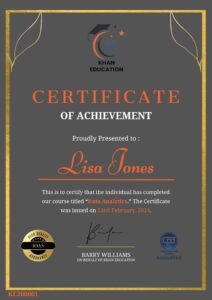
Upon completion of the course, an e-certificate will be downloadable from Khan Education signifying the completion of your course. But, the course is CPD Accredited and after you complete the assignment, you will be eligible to order a certificate accredited by CPD International Quality for £5.99 only. If you want a hardcopy certificate accredited by CPD IQ, you can get it for only £15.99.
FAQ's
At Khan Education, we have curated a selection of frequently asked questions that prospective students often pose before enrolling in our courses. We trust you will find these inquiries helpful. Should you have any specific questions not covered here, please feel free to contact us.
Enrolling in one of our online courses is a very straightforward procedure. On your interested course page, select the ‘Add to Cart’ button to add the course in your shopping cart. Subsequently, proceed to the checkout screen to input your payment details. Upon successful payment processing, you will be given access to your online course immediately. Following your enrollment, we will promptly send an email containing your course details and invoice to the address provided in your sign up.
Yes. Khan Education provides immediate access to your course materials online, meaning that you can study from anywhere in the world, provided you have a device with an internet connection. We have students spanning over 80 countries taking our courses worldwide.
Yes. You have the option to buy a course for a family member or friend. But please notify us and maintain clarity after checkout so that we can update the course details accordingly.
