

Description
Excel 2024 Weekend Mastery Course
Overview of the Excel 2024 Weekend Mastery Course
The Excel 2024 Weekend Mastery Course is a fast-track, job-ready Excel training designed for people who want maximum results in minimum time. Unlike long, overwhelming Excel programs that take weeks or months to complete, the Excel 2024 Weekend Mastery Course is intentionally short, focused, and outcome-driven. This means you can complete the Excel 2024 Weekend Mastery Course quickly, earn your certificate faster than traditional courses, and move straight toward job opportunities.
In today’s job market, Excel skills are no longer optional. Employers expect candidates to be comfortable with formulas, data analysis, Pivot Tables, charts, and modern Excel tools like XLOOKUP. The Excel 2024 Weekend Mastery Course is built to meet that demand without wasting your time. Every lesson inside the Excel 2024 Weekend Mastery Course is practical, relevant, and aligned with real workplace tasks.
What makes the Excel 2024 Weekend Mastery Course different is its weekend-friendly structure. This course is designed so busy students, professionals, and job seekers can complete it quickly—even within a single weekend—while still gaining strong, job-ready Excel skills. The goal of the Excel 2024 Weekend Mastery Course is simple: help you learn Excel fast, prove your skills with a certificate, and improve your employability immediately.
By the end of the Excel 2024 Weekend Mastery Course, you won’t just “know Excel.” You’ll know how to use Excel like employers expect, from organizing data and writing formulas to building charts and analyzing datasets. If speed, efficiency, and career impact matter to you, the Excel 2024 Weekend Mastery Course is designed exactly for that purpose.
Description of the Excel 2024 Weekend Mastery Course
The Excel 2024 Weekend Mastery Course is a complete, practical Excel training program built for modern learners and modern workplaces. This course focuses on what employers actually want, not unnecessary theory. Every module in the Excel 2024 Weekend Mastery Course is carefully structured to take you from beginner to confident Excel user in the shortest time possible.
One of the biggest advantages of the Excel 2024 Weekend Mastery Course is that it respects your time. Many Excel courses stretch simple topics across dozens of hours. The Excel 2024 Weekend Mastery Course eliminates repetition and focuses on efficiency. This makes it ideal for people who want to get certified fast, update their CV quickly, or prepare for job applications without delay.
Fast Learning, Fast Certification
The Excel 2024 Weekend Mastery Course is shorter than most Excel courses on the market. This shorter format allows you to:
-
Complete the course faster
-
Receive your certificate sooner
-
Add Excel skills to your CV immediately
-
Apply for jobs with confidence
Because the Excel 2024 Weekend Mastery Course is compact and focused, it’s perfect for weekend learning. You don’t need to pause your job search or daily responsibilities. You can complete the Excel 2024 Weekend Mastery Course efficiently and move forward in your career.
Job-Ready Skills from Day One
Every lesson in the Excel 2024 Weekend Mastery Course is designed with employment in mind. You’ll learn the exact Excel functions, formulas, and tools that employers commonly test in interviews and expect in the workplace. The Excel 2024 Weekend Mastery Course covers everything from data entry and formatting to advanced lookup formulas and Pivot Tables.
This course doesn’t just show you what Excel can do—it teaches you how to use Excel on the job. That’s why the Excel 2024 Weekend Mastery Course is ideal for job seekers, graduates, career switchers, and professionals looking to upgrade their skills quickly.
What You Will Learn in the Excel 2024 Weekend Mastery Course
Module 1: Excel Foundations and Getting Started
The Excel 2024 Weekend Mastery Course begins by making sure you are comfortable with Excel on any device. You’ll learn:
-
How to get started on Windows, macOS, Android, and iOS
-
How to ask great questions when working with Excel
-
Frequently asked questions beginners face
-
How to start Excel confidently and correctly
This foundation ensures that everyone starts the Excel 2024 Weekend Mastery Course on equal footing, regardless of prior experience.
Module 2: Excel Productivity and Data Handling
This module is where the Excel 2024 Weekend Mastery Course starts delivering serious productivity gains. You’ll learn:
-
Top Excel tips used by professionals
-
Adding numbers efficiently
-
Automatically filling cells to save time
-
Splitting data into columns
-
Transposing data for better organization
-
Sorting and filtering data quickly
-
Creating task tables
-
Making drop-down lists
-
Quick data analysis tools
-
Creating professional charts
-
Pivot Tables for data analytics
These skills are essential for office jobs, admin roles, analyst positions, and business environments. The Excel 2024 Weekend Mastery Course ensures you can perform these tasks confidently and quickly.
Module 3: Excel Formulas and Functions
Formulas are where Excel becomes powerful, and the Excel 2024 Weekend Mastery Course makes them easy to understand and apply. You’ll learn:
-
Basic formula operations
-
Mathematical functions (Level 1 and Level 2)
-
Text functions (Level 1 and Level 2)
-
Logical functions
-
Date and time functions
-
VLOOKUP
-
HLOOKUP
-
HLOOKUP with MATCH
-
INDEX and MATCH
These are some of the most job-critical skills taught in the Excel 2024 Weekend Mastery Course, especially for roles involving reporting, analysis, and decision-making.
Module 4: Modern Excel Lookups with XLOOKUP
The Excel 2024 Weekend Mastery Course includes modern Excel tools that many older courses skip. In this module, you’ll master:
-
XLOOKUP
-
Handling NA values
-
Approximate matches
-
Wildcard matching
XLOOKUP is now highly valued by employers, and mastering it through the Excel 2024 Weekend Mastery Course gives you a competitive advantage.
Module 5: Data Cleaning and Importing
Real-world data is messy, and the Excel 2024 Weekend Mastery Course prepares you for that reality. You’ll learn:
-
Splitting text into columns
-
Flash Fill
-
Removing duplicates
-
Data validation
-
Importing data from text files
-
Importing data from CSV files
These are everyday tasks in real jobs, and the Excel 2024 Weekend Mastery Course teaches them in a simple, practical way.
Module 6: Pivot Tables and Practical Exercises
Pivot Tables are a must-have skill, and the Excel 2024 Weekend Mastery Course covers them in detail:
-
Creating Pivot Tables
-
Value field settings
-
Number formatting
-
Pivot Table design
-
Hands-on Excel exercises
-
Full solutions
This practical approach ensures the Excel 2024 Weekend Mastery Course builds real confidence, not just theoretical knowledge.
Module 7: Excel Charts and Data Visualization
The final module of the Excel 2024 Weekend Mastery Course focuses on visual storytelling with data:
-
Chart categories
-
Chart elements
-
Quick chart creation
-
Column and bar charts
-
Chart formatting
-
Line charts
-
Area charts
-
Pie and doughnut charts
-
XY and scatter plots
-
Bubble charts
These visualization skills help you present data clearly and professionally—something employers highly value.
Who Is This Course For?
The Excel 2024 Weekend Mastery Course is ideal for:
-
Job seekers who need Excel skills fast
-
Students preparing for internships or graduate roles
-
Office workers who want to upgrade their Excel abilities
-
Career switchers entering data-driven roles
-
Entrepreneurs managing data and reports
-
Professionals who want a fast Excel certificate
-
Anyone who wants to become job-ready quickly
If you don’t have time for long courses, the Excel 2024 Weekend Mastery Course is designed for you. If you want to improve your CV quickly, the Excel 2024 Weekend Mastery Course is the right choice. If you want practical, real-world Excel skills without delay, the Excel 2024 Weekend Mastery Course delivers exactly that.
Frequently Asked Questions (FAQ)
How long does the Excel 2024 Weekend Mastery Course take to complete?
The Excel 2024 Weekend Mastery Course is intentionally short. Many learners complete it within a weekend, making it one of the fastest ways to become Excel-ready and certified.
Will I receive a certificate?
Yes. After completing the Excel 2024 Weekend Mastery Course, you will receive a certificate that you can add to your CV and LinkedIn profile immediately.
Is the Excel 2024 Weekend Mastery Course suitable for beginners?
Absolutely. The Excel 2024 Weekend Mastery Course starts from the basics and gradually moves to advanced topics in a clear, structured way.
Is this course job-focused?
Yes. The Excel 2024 Weekend Mastery Course is designed specifically to make you job-ready by teaching the Excel skills employers actually expect.
Do I need prior Excel experience?
No prior experience is required. The Excel 2024 Weekend Mastery Course is suitable for complete beginners as well as those who want to refresh their skills quickly.
Why choose this course over longer Excel programs?
The Excel 2024 Weekend Mastery Course saves time. You learn faster, complete sooner, and get certified quicker—without sacrificing practical, job-ready skills.
Final Thoughts
If you’re looking for a fast, efficient, and career-focused Excel course, the Excel 2024 Weekend Mastery Course stands out. It’s shorter than traditional courses, focused on real job skills, and designed to help you move forward quickly. Learn Excel, earn your certificate fast, and take a confident step toward better job opportunities with the Excel 2024 Weekend Mastery Course.
If you want, I can also:
-
Optimize this for SEO meta descriptions
-
Shorten it for Eventbrite or Reed limits
-
Add FOMO / limited-time urgency
-
Create ad copy, landing page versions, or FAQs only
Just tell me 👍
Key Features
Free Instant e-Certificate from Khan Education
Course is CPD IQ Accredited
Instant Access to the study materials
Fully online, can access anytime from anywhere using any device
1 Year Access to Course Materials
Audio-Visual Training
Who is this course for?
Perfect for beginners and professionals alike.
Ideal for building upon existing foundations.
Valuable for earning certificates.
Suitable for students and lifelong learners.
Perfect for curious minds exploring new topics.
"An investment in knowledge pays the best interest."
– Benjamin Franklin
Course Curriculum
About Course
Excel 2024 Weekend Mastery Course
Overview of the Excel 2024 Weekend Mastery Course
The Excel 2024 Weekend Mastery Course is a fast-track, job-ready Excel training designed for people who want maximum results in minimum time. Unlike long, overwhelming Excel programs that take weeks or months to complete, the Excel 2024 Weekend Mastery Course is intentionally short, focused, and outcome-driven. This means you can complete the Excel 2024 Weekend Mastery Course quickly, earn your certificate faster than traditional courses, and move straight toward job opportunities.
In today’s job market, Excel skills are no longer optional. Employers expect candidates to be comfortable with formulas, data analysis, Pivot Tables, charts, and modern Excel tools like XLOOKUP. The Excel 2024 Weekend Mastery Course is built to meet that demand without wasting your time. Every lesson inside the Excel 2024 Weekend Mastery Course is practical, relevant, and aligned with real workplace tasks.
What makes the Excel 2024 Weekend Mastery Course different is its weekend-friendly structure. This course is designed so busy students, professionals, and job seekers can complete it quickly—even within a single weekend—while still gaining strong, job-ready Excel skills. The goal of the Excel 2024 Weekend Mastery Course is simple: help you learn Excel fast, prove your skills with a certificate, and improve your employability immediately.
By the end of the Excel 2024 Weekend Mastery Course, you won’t just “know Excel.” You’ll know how to use Excel like employers expect, from organizing data and writing formulas to building charts and analyzing datasets. If speed, efficiency, and career impact matter to you, the Excel 2024 Weekend Mastery Course is designed exactly for that purpose.
Description of the Excel 2024 Weekend Mastery Course
The Excel 2024 Weekend Mastery Course is a complete, practical Excel training program built for modern learners and modern workplaces. This course focuses on what employers actually want, not unnecessary theory. Every module in the Excel 2024 Weekend Mastery Course is carefully structured to take you from beginner to confident Excel user in the shortest time possible.
One of the biggest advantages of the Excel 2024 Weekend Mastery Course is that it respects your time. Many Excel courses stretch simple topics across dozens of hours. The Excel 2024 Weekend Mastery Course eliminates repetition and focuses on efficiency. This makes it ideal for people who want to get certified fast, update their CV quickly, or prepare for job applications without delay.
Fast Learning, Fast Certification
The Excel 2024 Weekend Mastery Course is shorter than most Excel courses on the market. This shorter format allows you to:
-
Complete the course faster
-
Receive your certificate sooner
-
Add Excel skills to your CV immediately
-
Apply for jobs with confidence
Because the Excel 2024 Weekend Mastery Course is compact and focused, it’s perfect for weekend learning. You don’t need to pause your job search or daily responsibilities. You can complete the Excel 2024 Weekend Mastery Course efficiently and move forward in your career.
Job-Ready Skills from Day One
Every lesson in the Excel 2024 Weekend Mastery Course is designed with employment in mind. You’ll learn the exact Excel functions, formulas, and tools that employers commonly test in interviews and expect in the workplace. The Excel 2024 Weekend Mastery Course covers everything from data entry and formatting to advanced lookup formulas and Pivot Tables.
This course doesn’t just show you what Excel can do—it teaches you how to use Excel on the job. That’s why the Excel 2024 Weekend Mastery Course is ideal for job seekers, graduates, career switchers, and professionals looking to upgrade their skills quickly.
What You Will Learn in the Excel 2024 Weekend Mastery Course
Module 1: Excel Foundations and Getting Started
The Excel 2024 Weekend Mastery Course begins by making sure you are comfortable with Excel on any device. You’ll learn:
-
How to get started on Windows, macOS, Android, and iOS
-
How to ask great questions when working with Excel
-
Frequently asked questions beginners face
-
How to start Excel confidently and correctly
This foundation ensures that everyone starts the Excel 2024 Weekend Mastery Course on equal footing, regardless of prior experience.
Module 2: Excel Productivity and Data Handling
This module is where the Excel 2024 Weekend Mastery Course starts delivering serious productivity gains. You’ll learn:
-
Top Excel tips used by professionals
-
Adding numbers efficiently
-
Automatically filling cells to save time
-
Splitting data into columns
-
Transposing data for better organization
-
Sorting and filtering data quickly
-
Creating task tables
-
Making drop-down lists
-
Quick data analysis tools
-
Creating professional charts
-
Pivot Tables for data analytics
These skills are essential for office jobs, admin roles, analyst positions, and business environments. The Excel 2024 Weekend Mastery Course ensures you can perform these tasks confidently and quickly.
Module 3: Excel Formulas and Functions
Formulas are where Excel becomes powerful, and the Excel 2024 Weekend Mastery Course makes them easy to understand and apply. You’ll learn:
-
Basic formula operations
-
Mathematical functions (Level 1 and Level 2)
-
Text functions (Level 1 and Level 2)
-
Logical functions
-
Date and time functions
-
VLOOKUP
-
HLOOKUP
-
HLOOKUP with MATCH
-
INDEX and MATCH
These are some of the most job-critical skills taught in the Excel 2024 Weekend Mastery Course, especially for roles involving reporting, analysis, and decision-making.
Module 4: Modern Excel Lookups with XLOOKUP
The Excel 2024 Weekend Mastery Course includes modern Excel tools that many older courses skip. In this module, you’ll master:
-
XLOOKUP
-
Handling NA values
-
Approximate matches
-
Wildcard matching
XLOOKUP is now highly valued by employers, and mastering it through the Excel 2024 Weekend Mastery Course gives you a competitive advantage.
Module 5: Data Cleaning and Importing
Real-world data is messy, and the Excel 2024 Weekend Mastery Course prepares you for that reality. You’ll learn:
-
Splitting text into columns
-
Flash Fill
-
Removing duplicates
-
Data validation
-
Importing data from text files
-
Importing data from CSV files
These are everyday tasks in real jobs, and the Excel 2024 Weekend Mastery Course teaches them in a simple, practical way.
Module 6: Pivot Tables and Practical Exercises
Pivot Tables are a must-have skill, and the Excel 2024 Weekend Mastery Course covers them in detail:
-
Creating Pivot Tables
-
Value field settings
-
Number formatting
-
Pivot Table design
-
Hands-on Excel exercises
-
Full solutions
This practical approach ensures the Excel 2024 Weekend Mastery Course builds real confidence, not just theoretical knowledge.
Module 7: Excel Charts and Data Visualization
The final module of the Excel 2024 Weekend Mastery Course focuses on visual storytelling with data:
-
Chart categories
-
Chart elements
-
Quick chart creation
-
Column and bar charts
-
Chart formatting
-
Line charts
-
Area charts
-
Pie and doughnut charts
-
XY and scatter plots
-
Bubble charts
These visualization skills help you present data clearly and professionally—something employers highly value.
Who Is This Course For?
The Excel 2024 Weekend Mastery Course is ideal for:
-
Job seekers who need Excel skills fast
-
Students preparing for internships or graduate roles
-
Office workers who want to upgrade their Excel abilities
-
Career switchers entering data-driven roles
-
Entrepreneurs managing data and reports
-
Professionals who want a fast Excel certificate
-
Anyone who wants to become job-ready quickly
If you don’t have time for long courses, the Excel 2024 Weekend Mastery Course is designed for you. If you want to improve your CV quickly, the Excel 2024 Weekend Mastery Course is the right choice. If you want practical, real-world Excel skills without delay, the Excel 2024 Weekend Mastery Course delivers exactly that.
Frequently Asked Questions (FAQ)
How long does the Excel 2024 Weekend Mastery Course take to complete?
The Excel 2024 Weekend Mastery Course is intentionally short. Many learners complete it within a weekend, making it one of the fastest ways to become Excel-ready and certified.
Will I receive a certificate?
Yes. After completing the Excel 2024 Weekend Mastery Course, you will receive a certificate that you can add to your CV and LinkedIn profile immediately.
Is the Excel 2024 Weekend Mastery Course suitable for beginners?
Absolutely. The Excel 2024 Weekend Mastery Course starts from the basics and gradually moves to advanced topics in a clear, structured way.
Is this course job-focused?
Yes. The Excel 2024 Weekend Mastery Course is designed specifically to make you job-ready by teaching the Excel skills employers actually expect.
Do I need prior Excel experience?
No prior experience is required. The Excel 2024 Weekend Mastery Course is suitable for complete beginners as well as those who want to refresh their skills quickly.
Why choose this course over longer Excel programs?
The Excel 2024 Weekend Mastery Course saves time. You learn faster, complete sooner, and get certified quicker—without sacrificing practical, job-ready skills.
Final Thoughts
If you’re looking for a fast, efficient, and career-focused Excel course, the Excel 2024 Weekend Mastery Course stands out. It’s shorter than traditional courses, focused on real job skills, and designed to help you move forward quickly. Learn Excel, earn your certificate fast, and take a confident step toward better job opportunities with the Excel 2024 Weekend Mastery Course.
If you want, I can also:
-
Optimize this for SEO meta descriptions
-
Shorten it for Eventbrite or Reed limits
-
Add FOMO / limited-time urgency
-
Create ad copy, landing page versions, or FAQs only
Just tell me 👍
Course Content
Module- 1
-
Introduction
00:00 -
Getting started on Windows, macOS, Android, and IOS
00:00 -
How to ask great questions
00:00 -
FAQ
00:00 -
Start Excel
00:00
Module- 2
Module- 3
Module- 4
Module- 5
Module- 6
Module- 7
Student Ratings & Reviews


QUALITY ASSURED
MONEY BACK GUARANTED
If you’re feeling hesitant, you should know that you have downside guaranteed when you take a course with Khan Education. If we fail to meet your expectations, you can get full refund of your money only by letting us know. All you have to do is give us a knock and let us know you weren’t happy and we’ll refund you completely.
CERTIFICATION
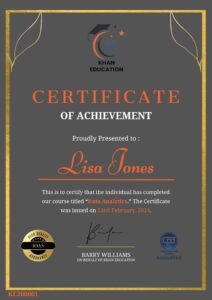
Upon completion of the course, an e-certificate will be downloadable from Khan Education signifying the completion of your course. But, the course is CPD Accredited and after you complete the assignment, you will be eligible to order a certificate accredited by CPD International Quality for £5.99 only. If you want a hardcopy certificate accredited by CPD IQ, you can get it for only £15.99.
FAQ's
At Khan Education, we have curated a selection of frequently asked questions that prospective students often pose before enrolling in our courses. We trust you will find these inquiries helpful. Should you have any specific questions not covered here, please feel free to contact us.
Enrolling in one of our online courses is a very straightforward procedure. On your interested course page, select the ‘Add to Cart’ button to add the course in your shopping cart. Subsequently, proceed to the checkout screen to input your payment details. Upon successful payment processing, you will be given access to your online course immediately. Following your enrollment, we will promptly send an email containing your course details and invoice to the address provided in your sign up.
Yes. Khan Education provides immediate access to your course materials online, meaning that you can study from anywhere in the world, provided you have a device with an internet connection. We have students spanning over 80 countries taking our courses worldwide.
Yes. You have the option to buy a course for a family member or friend. But please notify us and maintain clarity after checkout so that we can update the course details accordingly.