

Description
Overview
Build Modern Android Apps Using Kotlin is a complete beginner-to-advanced learning experience designed for aspiring Android developers, software enthusiasts, students, freelancers, and professionals who want to master Android app development using Kotlin. If you want to learn how to create professional Android applications from scratch, this training program provides everything you need to become confident in modern Android development.
With the rapid growth of mobile applications, Android development skills are in high demand across startups, software companies, and freelance marketplaces. Build Modern Android Apps Using Kotlin helps learners gain practical experience with Kotlin programming, Android Studio, user interface design, RecyclerView implementation, navigation systems, app themes, localization, and Google Play Store publishing.
Unlike outdated Android training focused on Java, Build Modern Android Apps Using Kotlin focuses entirely on Kotlin, the official language for Android development recommended by Google. Kotlin is modern, concise, easy to learn, and widely used by Android developers worldwide.
This learning experience starts with the fundamentals of Kotlin and gradually moves toward real-world Android app development concepts. By the end of Build Modern Android Apps Using Kotlin, learners will understand how to build responsive Android applications, design beautiful user interfaces, implement advanced Kotlin features, and publish Android apps on the Google Play Store.
Whether your goal is to start a freelance career, launch your own mobile app business, prepare for software development jobs, or improve your programming skills, Build Modern Android Apps Using Kotlin provides the practical knowledge and hands-on guidance needed to succeed in the Android ecosystem.
Description
The mobile app industry continues to expand every year, and Android remains one of the largest mobile operating systems globally. Businesses, entrepreneurs, and startups constantly search for developers who can build fast, responsive, and modern Android applications. This is why learning Android development is one of the smartest technology skills today.
Build Modern Android Apps Using Kotlin is carefully structured to help beginners and intermediate learners master Android application development step by step. The content focuses on practical implementation rather than unnecessary theory, making it easier for learners to understand real Android development workflows.
The training begins with a strong introduction to Android development concepts and Kotlin fundamentals. Learners will explore how Android applications work, how Kotlin simplifies coding, and how Android Studio is used to build modern mobile applications efficiently.
As learners progress through Build Modern Android Apps Using Kotlin, they will explore Android user interface design, layouts, activities, navigation systems, RecyclerView implementation, CardView customization, advanced Kotlin programming techniques, themes, localization, and deployment strategies.
One of the strongest benefits of Build Modern Android Apps Using Kotlin is its modern approach to Android development. Many outdated resources still teach legacy methods and older Java-based approaches. This learning experience focuses on Kotlin-first Android development, which aligns with current industry standards and best practices.
Throughout the training, learners will gain hands-on exposure to:
- Android Studio setup and configuration
- Kotlin programming essentials
- Android activity lifecycle
- User interface creation
- RecyclerView and CardView development
- Android navigation systems
- Advanced Kotlin features
- Android themes and styling
- Localization and multilingual support
- Google Play Store publishing process
The practical structure of Build Modern Android Apps Using Kotlin ensures that learners build confidence gradually while improving coding and app development skills.
Why Learn Android Development with Kotlin?
Kotlin has become the preferred language for Android development because it is modern, concise, powerful, and developer-friendly. Learning Kotlin gives developers access to cleaner syntax, fewer errors, better performance, and improved productivity.
Build Modern Android Apps Using Kotlin teaches Android development using modern Kotlin-based workflows that align with industry standards. Instead of learning outdated practices, learners gain relevant skills that companies and clients actively seek.
Some major advantages of Kotlin include:
- Cleaner and shorter code
- Improved readability
- Reduced boilerplate coding
- Better null safety
- Easier maintenance
- Full interoperability with Java
- Faster Android development
- Official Android support by Google
By learning through Build Modern Android Apps Using Kotlin, learners prepare themselves for real-world Android development environments.
What You Will Learn in Build Modern Android Apps Using Kotlin
Android Application Development with Kotlin Overview (Bonus)
The introductory section of Build Modern Android Apps Using Kotlin provides a high-level understanding of Android app development. Learners will discover how Android applications are structured, how Android Studio works, and why Kotlin is important for modern app development.
This bonus section gives learners a roadmap of the complete Android development journey.
Android Application Development Using Kotlin Beginners Guide (Bonus)
The beginner guide inside Build Modern Android Apps Using Kotlin helps new learners understand the Android ecosystem and prepare for hands-on development.
Topics include:
- Introduction to Android operating systems
- Understanding Android applications
- Introduction to Kotlin programming
- Android Studio basics
- Development environment setup
- Android SDK overview
This section ensures beginners feel comfortable before entering advanced modules.
Module 1: Kotlin Fundamentals and Android Setup
The first core module of Build Modern Android Apps Using Kotlin focuses on the foundation of Kotlin programming and Android environment setup.
Learners will explore:
- Variables and data types
- Functions and classes
- Object-oriented programming
- Conditional statements
- Loops and collections
- Null safety in Kotlin
- Kotlin syntax and structure
- Android Studio installation
- Android emulator setup
- Creating Android projects
This module builds the programming foundation required for Android application development.
Module 2: Android User Interface and Activity Navigation
User interface design is one of the most important parts of Android development. In this module of Build Modern Android Apps Using Kotlin, learners will understand how Android screens are created and connected.
Topics include:
- XML layouts
- Buttons and text views
- Input fields
- ConstraintLayout
- LinearLayout
- RelativeLayout
- Activities and intents
- Navigation between screens
- Event handling
- User interaction design
Learners will build interactive Android interfaces while improving design and usability skills.
Module 3: RecyclerView and CardView Development
Modern Android applications often display large sets of data using lists and cards. This module of Build Modern Android Apps Using Kotlin teaches learners how to create dynamic and visually appealing content displays.
Key topics include:
- RecyclerView fundamentals
- RecyclerView adapters
- ViewHolder patterns
- CardView customization
- List item layouts
- Efficient scrolling
- Data binding concepts
- Dynamic content management
RecyclerView and CardView are essential skills for professional Android development, and this module ensures learners understand practical implementation.
Module 4: Advanced Kotlin Features for Android Apps
To build scalable Android applications, developers must understand advanced Kotlin concepts. This module of Build Modern Android Apps Using Kotlin focuses on improving coding efficiency and application architecture.
Learners will explore:
- Advanced functions
- Lambda expressions
- Higher-order functions
- Extension functions
- Data classes
- Sealed classes
- Coroutines basics
- Collections and filtering
- Exception handling
- Kotlin best practices
These advanced Kotlin techniques help developers write cleaner and more maintainable Android applications.
Module 5: Android Design, Themes, and Localization
Professional Android applications require attractive visual design and multilingual accessibility. In this module of Build Modern Android Apps Using Kotlin, learners will discover how to improve app appearance and user experience.
Topics include:
- Android themes
- Material Design principles
- Dark mode implementation
- Color customization
- Typography styling
- Drawable resources
- Localization strategies
- Multi-language support
- String resource management
- Responsive design techniques
This module helps learners create polished Android applications suitable for global audiences.
Module 6: Google Play Store App Publishing
Publishing an Android application is a major milestone for developers. The final module of Build Modern Android Apps Using Kotlin teaches learners how to prepare and publish applications professionally.
Learners will understand:
- APK generation
- Android app signing
- Release builds
- Google Play Console overview
- Store listing optimization
- App screenshots and descriptions
- Privacy policies
- Version management
- Publishing workflow
- App maintenance basics
By the end of this module, learners will understand how to launch Android applications publicly.
Benefits of Build Modern Android Apps Using Kotlin
There are many reasons why learners choose Build Modern Android Apps Using Kotlin to begin their Android development journey.
Practical Learning Experience
The content focuses on hands-on Android development concepts that can be applied immediately.
Beginner-Friendly Structure
Even learners with no prior Android experience can follow the step-by-step approach.
Modern Android Development
The learning materials focus on Kotlin-based Android development aligned with current industry standards.
Career Development Opportunities
Android development skills can support careers in:
- Mobile app development
- Software engineering
- Freelancing
- Startup development
- Product development
- App publishing
Real-World Development Skills
Learners gain practical knowledge that can be applied to actual Android projects.
Who Is This Course For
Build Modern Android Apps Using Kotlin is ideal for a wide range of learners interested in Android application development and Kotlin programming.
Beginners in Programming
If you are new to coding, Build Modern Android Apps Using Kotlin provides a beginner-friendly pathway into Android development.
Aspiring Android Developers
Anyone who wants to become an Android developer will benefit from the structured Android-focused training.
Students and Graduates
Students interested in software development, mobile applications, or programming can build valuable career skills through Build Modern Android Apps Using Kotlin.
Freelancers
Freelancers who want to offer Android app development services can use this learning experience to expand their skills and opportunities.
Entrepreneurs and Startup Founders
Business owners who want to build Android applications for products or services can understand app development workflows through Build Modern Android Apps Using Kotlin.
Existing Developers
Developers familiar with Java or other programming languages can transition into Kotlin-based Android development.
Tech Enthusiasts
Anyone interested in modern mobile technology and Android applications can explore app creation using Kotlin.
Career Opportunities After Learning Android Development
Android development is one of the most valuable technology skills in today’s digital economy. Completing Build Modern Android Apps Using Kotlin can help learners pursue multiple career opportunities.
Potential career paths include:
- Android Developer
- Junior Mobile App Developer
- Kotlin Developer
- Freelance Android Developer
- Mobile UI Developer
- App Maintenance Specialist
- Startup Application Developer
- Mobile Software Engineer
Android applications are used in industries such as:
- Education
- Healthcare
- Finance
- E-commerce
- Entertainment
- Social Media
- Logistics
- Productivity Tools
The demand for Android developers continues to grow globally, creating long-term opportunities for skilled professionals.
Why Choose Build Modern Android Apps Using Kotlin
There are countless Android tutorials online, but Build Modern Android Apps Using Kotlin stands out because of its practical structure, modern development approach, and beginner-friendly organization.
Key reasons to choose this learning experience include:
- Focus on Kotlin instead of outdated Java approaches
- Structured modules for progressive learning
- Real Android development workflows
- Practical user interface development
- Modern Android design principles
- Google Play Store publishing guidance
- Strong foundation for future Android specialization
Whether your goal is personal growth, career advancement, freelancing, or launching mobile apps, Build Modern Android Apps Using Kotlin provides a solid path forward.
Frequently Asked Questions (FAQ)
What is Build Modern Android Apps Using Kotlin?
Build Modern Android Apps Using Kotlin is a complete Android development learning experience focused on building Android applications using Kotlin programming language and Android Studio.
Is Build Modern Android Apps Using Kotlin suitable for beginners?
Yes. Build Modern Android Apps Using Kotlin is designed with beginners in mind. The content starts with Kotlin fundamentals and gradually moves into Android development concepts.
Do I need programming experience before joining?
No prior programming experience is required. Build Modern Android Apps Using Kotlin includes beginner-friendly Kotlin programming lessons.
What software will I use?
Learners will primarily use Android Studio for Android development and Kotlin programming.
Why should I learn Kotlin for Android development?
Kotlin is the official language for Android development recommended by Google. It is modern, concise, and easier to maintain compared to older development approaches.
Will I learn how to publish Android apps?
Yes. Build Modern Android Apps Using Kotlin includes a dedicated module on Google Play Store publishing and app deployment.
Can I build real Android apps after completing this learning experience?
Yes. The practical modules inside Build Modern Android Apps Using Kotlin are designed to help learners understand real Android application development workflows.
Does the training include Android UI design?
Yes. Learners will explore Android user interfaces, layouts, themes, Material Design principles, and responsive app design.
What will I learn about RecyclerView and CardView?
Build Modern Android Apps Using Kotlin includes practical lessons on creating dynamic Android lists and visually appealing CardView interfaces.
Is Kotlin difficult to learn?
Kotlin is considered beginner-friendly and easier to read than many traditional programming languages. Build Modern Android Apps Using Kotlin simplifies Kotlin concepts for new learners.
Can this help with freelancing opportunities?
Yes. Android app development is a popular freelance skill, and Build Modern Android Apps Using Kotlin helps learners build relevant development knowledge.
Will I understand Android Studio setup?
Yes. The training includes Android Studio installation, Android emulator configuration, SDK setup, and project creation guidance.
What industries use Android applications?
Android apps are widely used in industries such as education, finance, healthcare, entertainment, e-commerce, logistics, and productivity software.
Is Android development a good career path?
Yes. Android development remains a strong technology career with global demand for skilled mobile application developers.
What makes Build Modern Android Apps Using Kotlin different?
Build Modern Android Apps Using Kotlin focuses on modern Kotlin-based Android development instead of outdated legacy approaches. The structure is beginner-friendly and practical.
Start Your Android Development Journey Today
Mobile applications continue to shape the future of technology, business, communication, and digital services. Learning Android development is one of the most valuable investments for aspiring developers and technology professionals.
Build Modern Android Apps Using Kotlin provides the knowledge, practical understanding, and modern development foundation needed to create Android applications confidently. From Kotlin programming fundamentals to Google Play Store publishing, every module is designed to help learners progress step by step toward real Android development skills.
If you are ready to explore Android application development, improve your programming knowledge, and learn how modern Android apps are built, Build Modern Android Apps Using Kotlin offers a powerful starting point for your mobile development journey.
Key Features
Free Instant e-Certificate from Khan Education
Course is CPD IQ Accredited
Instant Access to the study materials
Fully online, can access anytime from anywhere using any device
1 Year Access to Course Materials
Audio-Visual Training
Who is this course for?
Perfect for beginners and professionals alike.
Ideal for building upon existing foundations.
Valuable for earning certificates.
Suitable for students and lifelong learners.
Perfect for curious minds exploring new topics.
"An investment in knowledge pays the best interest."
– Benjamin Franklin
Course Curriculum
About Course
Overview
Build Modern Android Apps Using Kotlin is a complete beginner-to-advanced learning experience designed for aspiring Android developers, software enthusiasts, students, freelancers, and professionals who want to master Android app development using Kotlin. If you want to learn how to create professional Android applications from scratch, this training program provides everything you need to become confident in modern Android development.
With the rapid growth of mobile applications, Android development skills are in high demand across startups, software companies, and freelance marketplaces. Build Modern Android Apps Using Kotlin helps learners gain practical experience with Kotlin programming, Android Studio, user interface design, RecyclerView implementation, navigation systems, app themes, localization, and Google Play Store publishing.
Unlike outdated Android training focused on Java, Build Modern Android Apps Using Kotlin focuses entirely on Kotlin, the official language for Android development recommended by Google. Kotlin is modern, concise, easy to learn, and widely used by Android developers worldwide.
This learning experience starts with the fundamentals of Kotlin and gradually moves toward real-world Android app development concepts. By the end of Build Modern Android Apps Using Kotlin, learners will understand how to build responsive Android applications, design beautiful user interfaces, implement advanced Kotlin features, and publish Android apps on the Google Play Store.
Whether your goal is to start a freelance career, launch your own mobile app business, prepare for software development jobs, or improve your programming skills, Build Modern Android Apps Using Kotlin provides the practical knowledge and hands-on guidance needed to succeed in the Android ecosystem.
Description
The mobile app industry continues to expand every year, and Android remains one of the largest mobile operating systems globally. Businesses, entrepreneurs, and startups constantly search for developers who can build fast, responsive, and modern Android applications. This is why learning Android development is one of the smartest technology skills today.
Build Modern Android Apps Using Kotlin is carefully structured to help beginners and intermediate learners master Android application development step by step. The content focuses on practical implementation rather than unnecessary theory, making it easier for learners to understand real Android development workflows.
The training begins with a strong introduction to Android development concepts and Kotlin fundamentals. Learners will explore how Android applications work, how Kotlin simplifies coding, and how Android Studio is used to build modern mobile applications efficiently.
As learners progress through Build Modern Android Apps Using Kotlin, they will explore Android user interface design, layouts, activities, navigation systems, RecyclerView implementation, CardView customization, advanced Kotlin programming techniques, themes, localization, and deployment strategies.
One of the strongest benefits of Build Modern Android Apps Using Kotlin is its modern approach to Android development. Many outdated resources still teach legacy methods and older Java-based approaches. This learning experience focuses on Kotlin-first Android development, which aligns with current industry standards and best practices.
Throughout the training, learners will gain hands-on exposure to:
- Android Studio setup and configuration
- Kotlin programming essentials
- Android activity lifecycle
- User interface creation
- RecyclerView and CardView development
- Android navigation systems
- Advanced Kotlin features
- Android themes and styling
- Localization and multilingual support
- Google Play Store publishing process
The practical structure of Build Modern Android Apps Using Kotlin ensures that learners build confidence gradually while improving coding and app development skills.
Why Learn Android Development with Kotlin?
Kotlin has become the preferred language for Android development because it is modern, concise, powerful, and developer-friendly. Learning Kotlin gives developers access to cleaner syntax, fewer errors, better performance, and improved productivity.
Build Modern Android Apps Using Kotlin teaches Android development using modern Kotlin-based workflows that align with industry standards. Instead of learning outdated practices, learners gain relevant skills that companies and clients actively seek.
Some major advantages of Kotlin include:
- Cleaner and shorter code
- Improved readability
- Reduced boilerplate coding
- Better null safety
- Easier maintenance
- Full interoperability with Java
- Faster Android development
- Official Android support by Google
By learning through Build Modern Android Apps Using Kotlin, learners prepare themselves for real-world Android development environments.
What You Will Learn in Build Modern Android Apps Using Kotlin
Android Application Development with Kotlin Overview (Bonus)
The introductory section of Build Modern Android Apps Using Kotlin provides a high-level understanding of Android app development. Learners will discover how Android applications are structured, how Android Studio works, and why Kotlin is important for modern app development.
This bonus section gives learners a roadmap of the complete Android development journey.
Android Application Development Using Kotlin Beginners Guide (Bonus)
The beginner guide inside Build Modern Android Apps Using Kotlin helps new learners understand the Android ecosystem and prepare for hands-on development.
Topics include:
- Introduction to Android operating systems
- Understanding Android applications
- Introduction to Kotlin programming
- Android Studio basics
- Development environment setup
- Android SDK overview
This section ensures beginners feel comfortable before entering advanced modules.
Module 1: Kotlin Fundamentals and Android Setup
The first core module of Build Modern Android Apps Using Kotlin focuses on the foundation of Kotlin programming and Android environment setup.
Learners will explore:
- Variables and data types
- Functions and classes
- Object-oriented programming
- Conditional statements
- Loops and collections
- Null safety in Kotlin
- Kotlin syntax and structure
- Android Studio installation
- Android emulator setup
- Creating Android projects
This module builds the programming foundation required for Android application development.
Module 2: Android User Interface and Activity Navigation
User interface design is one of the most important parts of Android development. In this module of Build Modern Android Apps Using Kotlin, learners will understand how Android screens are created and connected.
Topics include:
- XML layouts
- Buttons and text views
- Input fields
- ConstraintLayout
- LinearLayout
- RelativeLayout
- Activities and intents
- Navigation between screens
- Event handling
- User interaction design
Learners will build interactive Android interfaces while improving design and usability skills.
Module 3: RecyclerView and CardView Development
Modern Android applications often display large sets of data using lists and cards. This module of Build Modern Android Apps Using Kotlin teaches learners how to create dynamic and visually appealing content displays.
Key topics include:
- RecyclerView fundamentals
- RecyclerView adapters
- ViewHolder patterns
- CardView customization
- List item layouts
- Efficient scrolling
- Data binding concepts
- Dynamic content management
RecyclerView and CardView are essential skills for professional Android development, and this module ensures learners understand practical implementation.
Module 4: Advanced Kotlin Features for Android Apps
To build scalable Android applications, developers must understand advanced Kotlin concepts. This module of Build Modern Android Apps Using Kotlin focuses on improving coding efficiency and application architecture.
Learners will explore:
- Advanced functions
- Lambda expressions
- Higher-order functions
- Extension functions
- Data classes
- Sealed classes
- Coroutines basics
- Collections and filtering
- Exception handling
- Kotlin best practices
These advanced Kotlin techniques help developers write cleaner and more maintainable Android applications.
Module 5: Android Design, Themes, and Localization
Professional Android applications require attractive visual design and multilingual accessibility. In this module of Build Modern Android Apps Using Kotlin, learners will discover how to improve app appearance and user experience.
Topics include:
- Android themes
- Material Design principles
- Dark mode implementation
- Color customization
- Typography styling
- Drawable resources
- Localization strategies
- Multi-language support
- String resource management
- Responsive design techniques
This module helps learners create polished Android applications suitable for global audiences.
Module 6: Google Play Store App Publishing
Publishing an Android application is a major milestone for developers. The final module of Build Modern Android Apps Using Kotlin teaches learners how to prepare and publish applications professionally.
Learners will understand:
- APK generation
- Android app signing
- Release builds
- Google Play Console overview
- Store listing optimization
- App screenshots and descriptions
- Privacy policies
- Version management
- Publishing workflow
- App maintenance basics
By the end of this module, learners will understand how to launch Android applications publicly.
Benefits of Build Modern Android Apps Using Kotlin
There are many reasons why learners choose Build Modern Android Apps Using Kotlin to begin their Android development journey.
Practical Learning Experience
The content focuses on hands-on Android development concepts that can be applied immediately.
Beginner-Friendly Structure
Even learners with no prior Android experience can follow the step-by-step approach.
Modern Android Development
The learning materials focus on Kotlin-based Android development aligned with current industry standards.
Career Development Opportunities
Android development skills can support careers in:
- Mobile app development
- Software engineering
- Freelancing
- Startup development
- Product development
- App publishing
Real-World Development Skills
Learners gain practical knowledge that can be applied to actual Android projects.
Who Is This Course For
Build Modern Android Apps Using Kotlin is ideal for a wide range of learners interested in Android application development and Kotlin programming.
Beginners in Programming
If you are new to coding, Build Modern Android Apps Using Kotlin provides a beginner-friendly pathway into Android development.
Aspiring Android Developers
Anyone who wants to become an Android developer will benefit from the structured Android-focused training.
Students and Graduates
Students interested in software development, mobile applications, or programming can build valuable career skills through Build Modern Android Apps Using Kotlin.
Freelancers
Freelancers who want to offer Android app development services can use this learning experience to expand their skills and opportunities.
Entrepreneurs and Startup Founders
Business owners who want to build Android applications for products or services can understand app development workflows through Build Modern Android Apps Using Kotlin.
Existing Developers
Developers familiar with Java or other programming languages can transition into Kotlin-based Android development.
Tech Enthusiasts
Anyone interested in modern mobile technology and Android applications can explore app creation using Kotlin.
Career Opportunities After Learning Android Development
Android development is one of the most valuable technology skills in today’s digital economy. Completing Build Modern Android Apps Using Kotlin can help learners pursue multiple career opportunities.
Potential career paths include:
- Android Developer
- Junior Mobile App Developer
- Kotlin Developer
- Freelance Android Developer
- Mobile UI Developer
- App Maintenance Specialist
- Startup Application Developer
- Mobile Software Engineer
Android applications are used in industries such as:
- Education
- Healthcare
- Finance
- E-commerce
- Entertainment
- Social Media
- Logistics
- Productivity Tools
The demand for Android developers continues to grow globally, creating long-term opportunities for skilled professionals.
Why Choose Build Modern Android Apps Using Kotlin
There are countless Android tutorials online, but Build Modern Android Apps Using Kotlin stands out because of its practical structure, modern development approach, and beginner-friendly organization.
Key reasons to choose this learning experience include:
- Focus on Kotlin instead of outdated Java approaches
- Structured modules for progressive learning
- Real Android development workflows
- Practical user interface development
- Modern Android design principles
- Google Play Store publishing guidance
- Strong foundation for future Android specialization
Whether your goal is personal growth, career advancement, freelancing, or launching mobile apps, Build Modern Android Apps Using Kotlin provides a solid path forward.
Frequently Asked Questions (FAQ)
What is Build Modern Android Apps Using Kotlin?
Build Modern Android Apps Using Kotlin is a complete Android development learning experience focused on building Android applications using Kotlin programming language and Android Studio.
Is Build Modern Android Apps Using Kotlin suitable for beginners?
Yes. Build Modern Android Apps Using Kotlin is designed with beginners in mind. The content starts with Kotlin fundamentals and gradually moves into Android development concepts.
Do I need programming experience before joining?
No prior programming experience is required. Build Modern Android Apps Using Kotlin includes beginner-friendly Kotlin programming lessons.
What software will I use?
Learners will primarily use Android Studio for Android development and Kotlin programming.
Why should I learn Kotlin for Android development?
Kotlin is the official language for Android development recommended by Google. It is modern, concise, and easier to maintain compared to older development approaches.
Will I learn how to publish Android apps?
Yes. Build Modern Android Apps Using Kotlin includes a dedicated module on Google Play Store publishing and app deployment.
Can I build real Android apps after completing this learning experience?
Yes. The practical modules inside Build Modern Android Apps Using Kotlin are designed to help learners understand real Android application development workflows.
Does the training include Android UI design?
Yes. Learners will explore Android user interfaces, layouts, themes, Material Design principles, and responsive app design.
What will I learn about RecyclerView and CardView?
Build Modern Android Apps Using Kotlin includes practical lessons on creating dynamic Android lists and visually appealing CardView interfaces.
Is Kotlin difficult to learn?
Kotlin is considered beginner-friendly and easier to read than many traditional programming languages. Build Modern Android Apps Using Kotlin simplifies Kotlin concepts for new learners.
Can this help with freelancing opportunities?
Yes. Android app development is a popular freelance skill, and Build Modern Android Apps Using Kotlin helps learners build relevant development knowledge.
Will I understand Android Studio setup?
Yes. The training includes Android Studio installation, Android emulator configuration, SDK setup, and project creation guidance.
What industries use Android applications?
Android apps are widely used in industries such as education, finance, healthcare, entertainment, e-commerce, logistics, and productivity software.
Is Android development a good career path?
Yes. Android development remains a strong technology career with global demand for skilled mobile application developers.
What makes Build Modern Android Apps Using Kotlin different?
Build Modern Android Apps Using Kotlin focuses on modern Kotlin-based Android development instead of outdated legacy approaches. The structure is beginner-friendly and practical.
Start Your Android Development Journey Today
Mobile applications continue to shape the future of technology, business, communication, and digital services. Learning Android development is one of the most valuable investments for aspiring developers and technology professionals.
Build Modern Android Apps Using Kotlin provides the knowledge, practical understanding, and modern development foundation needed to create Android applications confidently. From Kotlin programming fundamentals to Google Play Store publishing, every module is designed to help learners progress step by step toward real Android development skills.
If you are ready to explore Android application development, improve your programming knowledge, and learn how modern Android apps are built, Build Modern Android Apps Using Kotlin offers a powerful starting point for your mobile development journey.
Course Content
Android Application Development with Kotlin Overview (Bonus)
-
Android Application Development with Kotlin Overview (Bonus)
00:00
Android Application Development Using Kotlin Beginners Guide (Bonus)
Module: 1 Kotlin Fundamentals and Android Setup
Module: 2 Android User Interface and Activity Navigation
Module: 3 RecyclerView and CardView Development
Module: 4 Advanced Kotlin Features for Android Apps
Module: 5 Android Design, Themes, and Localization
Module: 6 Google Play Store App Publishing
Student Ratings & Reviews


QUALITY ASSURED
MONEY BACK GUARANTED
If you’re feeling hesitant, you should know that you have downside guaranteed when you take a course with Khan Education. If we fail to meet your expectations, you can get full refund of your money only by letting us know. All you have to do is give us a knock and let us know you weren’t happy and we’ll refund you completely.
CERTIFICATION
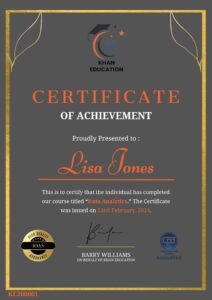
Upon completion of the course, an e-certificate will be downloadable from Khan Education signifying the completion of your course. But, the course is CPD Accredited and after you complete the assignment, you will be eligible to order a certificate accredited by CPD International Quality for £5.99 only. If you want a hardcopy certificate accredited by CPD IQ, you can get it for only £15.99.
FAQ's
At Khan Education, we have curated a selection of frequently asked questions that prospective students often pose before enrolling in our courses. We trust you will find these inquiries helpful. Should you have any specific questions not covered here, please feel free to contact us.
Enrolling in one of our online courses is a very straightforward procedure. On your interested course page, select the ‘Add to Cart’ button to add the course in your shopping cart. Subsequently, proceed to the checkout screen to input your payment details. Upon successful payment processing, you will be given access to your online course immediately. Following your enrollment, we will promptly send an email containing your course details and invoice to the address provided in your sign up.
Yes. Khan Education provides immediate access to your course materials online, meaning that you can study from anywhere in the world, provided you have a device with an internet connection. We have students spanning over 80 countries taking our courses worldwide.
Yes. You have the option to buy a course for a family member or friend. But please notify us and maintain clarity after checkout so that we can update the course details accordingly.